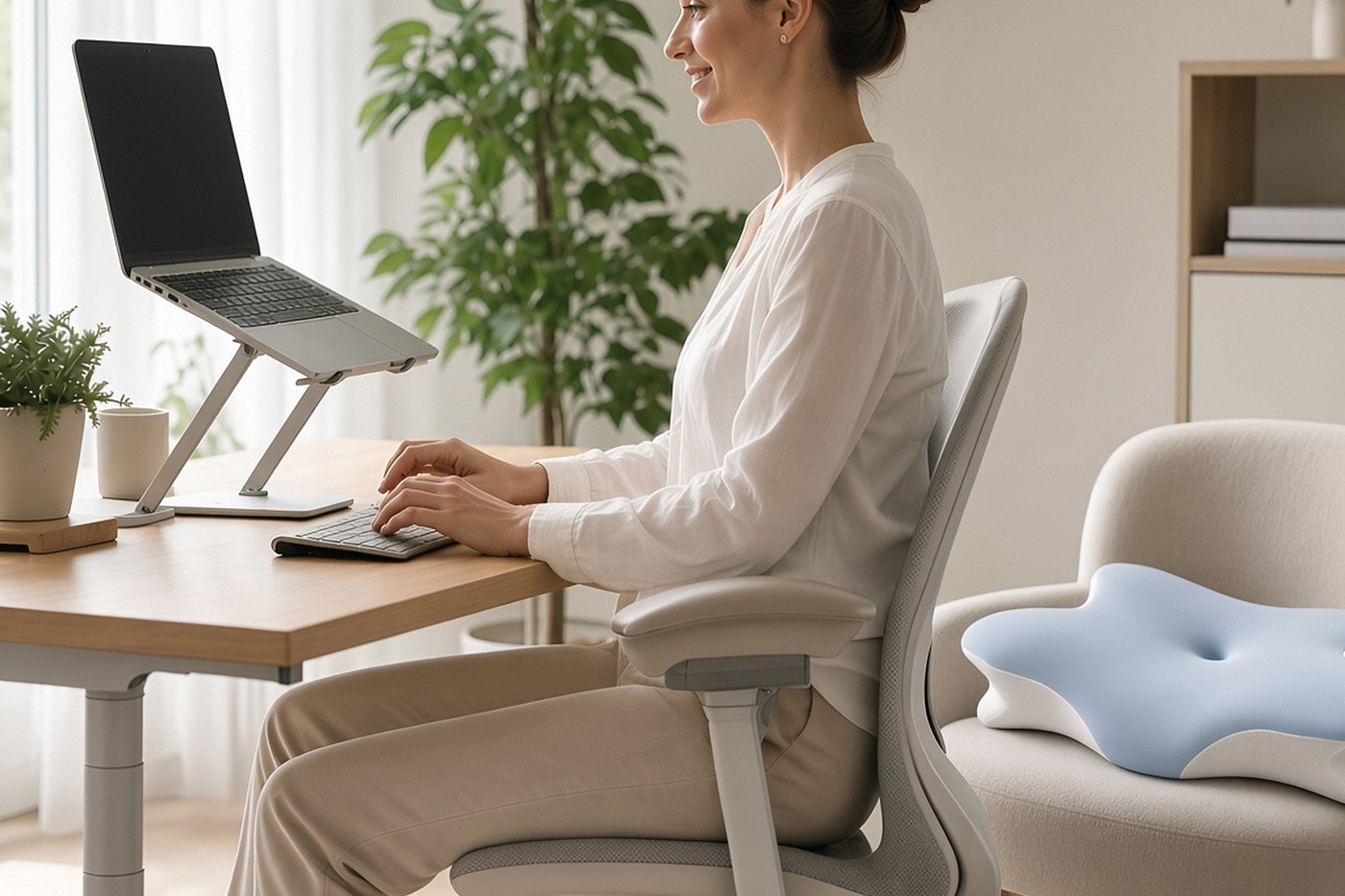
- Top of the screen at or slightly below eye level.
- Bring the phone up toward your eyes instead of your head down toward the phone.
- No posture is perfect for hours – change position often.
The 5-point workstation check
- 1Screen height
The top of the screen at or slightly below eye level. Laptop users: a stand plus an external keyboard makes a big difference.
- 2Screen distance
Roughly an arm’s length away, so you don’t lean forward to read.
- 3Chair
Feet flat on the floor, hips slightly higher than knees, lower back supported.
- 4Elbows
Relaxed by your sides at about 90°, shoulders down – not hunched toward your ears.
- 5Light
Avoid glare that makes you lean in or tilt your head. Increase font size if you catch yourself squinting.
Phone posture
Looking down at a phone for long periods pulls the head forward. Try lifting the phone closer to eye level, resting your elbows on a table, using voice notes or calls instead of long typing sessions, and taking breaks from scrolling.
In bed, avoid holding the phone above your face with your chin tucked into a stack of pillows – it’s one of the least comfortable positions for the neck.
The 30-second reset
Every 30 minutes: stand up, do 3 chin tucks and 5 shoulder rolls, and look at something far away for 20 seconds. Set a timer – it takes under a minute. For a longer evening version, see 6 gentle stretches before bed.
Then let your neck rest at night
After a long screen day, a supportive pillow lets your neck muscles switch off. Our Contour Pillow offers two heights so you can match it to how you sleep – backed by our 100-Night Comfort Promise.